
A cracked or faulty MacBook screen doesn’t always mean you need an expensive full display replacement. At Device Repair Guy, we specialise in advanced board-level and display-level repairs that can often save you hundreds of dollars by fixing the fault at its source — not just swapping parts.
In this article, we’ll break down the different types of MacBook screen damage, what’s repairable, what isn’t, and how we troubleshoot everything from no-backlight problems to complete image failure.
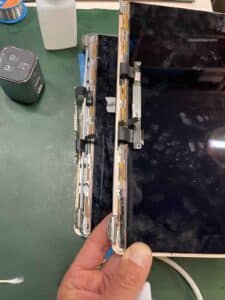
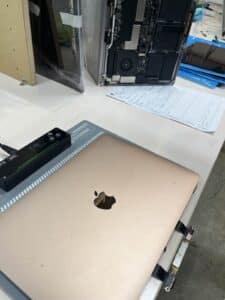
1. Understanding MacBook Screen Damage
MacBook displays are made up of multiple layers — glass, LCD, backlight system, flex cables, camera module, and the aluminium upper case. When something goes wrong, it’s not always the LCD panel itself. Common faults include:
-
Cracked LCD
-
No image
-
No backlight
-
Flickering screen
-
Lines or colour distortion
-
Camera not detected
-
Dented corners causing pressure points
Each issue has a different solution depending on the condition of the display assembly.
2. LCD-Only Repairs: When a Full Display Isn’t Necessary
Most repair shops replace the entire MacBook display assembly by default — but that’s not the only option.
We can repair or replace internal components of the existing display, saving you significant cost.
✔ LCD Issues Can Sometimes Be Fixed Without Replacing the Whole Screen
Some faults are caused by damage to internal connections rather than the LCD itself. For example, a torn backlight flex cable can cause the classic “no backlight but faint image” problem.
This cable can be repaired, restoring backlight functionality without changing the entire display.
✔ Flex Cables Can Be Replaced by Soldering a New Cable On
Advanced repairs such as replacing LCD flex cables require micro-soldering equipment and specialised experience.
We can remove the damaged cable and solder a brand-new flex cable onto the LCD, extending the life of your display and avoiding a costly top-case replacement.
These options are ideal when the screen is not cracked but suffers from display or backlight issues.
3. When the Entire Display Assembly Needs Replacing
There are situations where a full top-case replacement is unavoidable:
-
Cracked or smashed LCD
-
Dented corners pushing into the screen
-
Damage to multiple flex cables
-
Liquid damage inside the panel
-
Severe backlight layer damage
If the glass/LCD itself is broken or the aluminium housing is bent, repairs aren’t cost-effective, and replacing the complete display assembly is the right solution.
4. Our Advanced MacBook Display Troubleshooting
We invest in the same tools and micro-soldering equipment used by specialist repair labs worldwide. This allows us to diagnose and repair issues that most shops do not attempt.
We can troubleshoot and repair:
-
No image
-
No backlight
-
Black screen
-
Flickering or intermittent display
-
Damaged flex cables
-
Camera not working (Flexgate-style issues)
Our goal is always to repair what’s repairable first — and only recommend a full replacement when absolutely necessary.
5. Why Choose Device Repair Guy?
-
We fix what others replace
-
Micro-soldering capability for flex cable repairs
-
Access to quality replacement displays where needed
-
Fast turnaround and honest advice
-
Local Wellington specialists
-
Cost-effective options tailored to the condition of your MacBook
Whether your MacBook screen is cracked, dim, flickering or just dead, we can help.